1. Please login and click on the Windows start button, then click the settings gear icon.
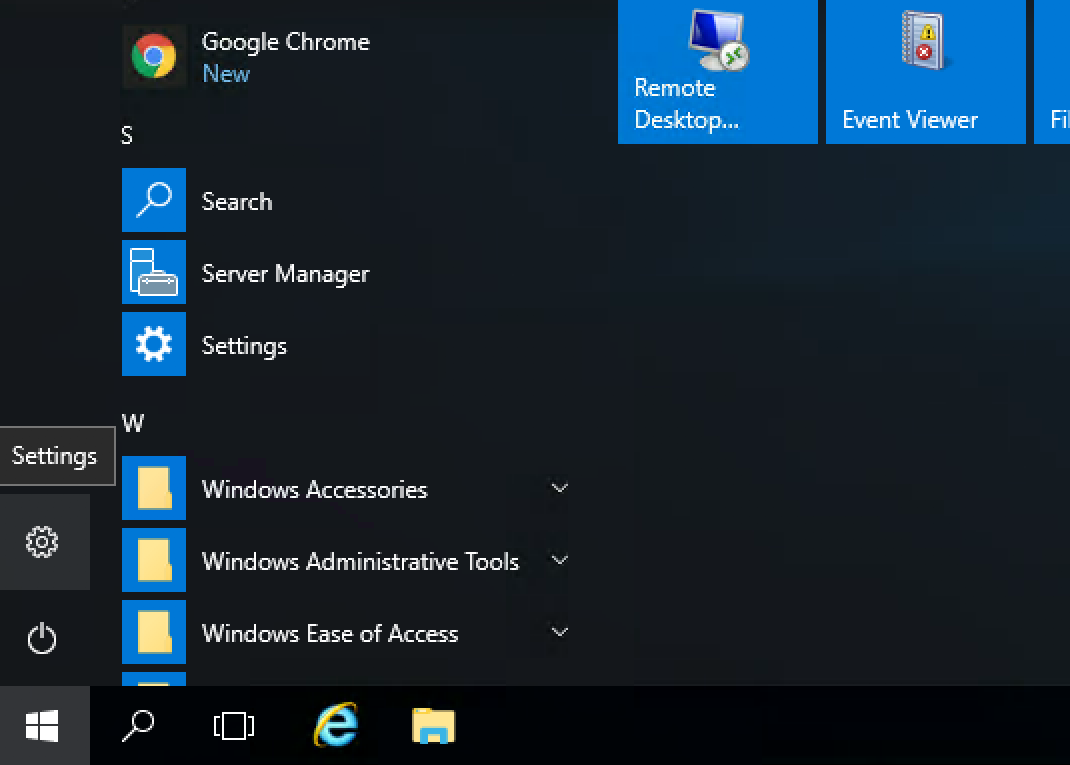
2. Then click on Accounts.
3. Then click on Sign-in Options.
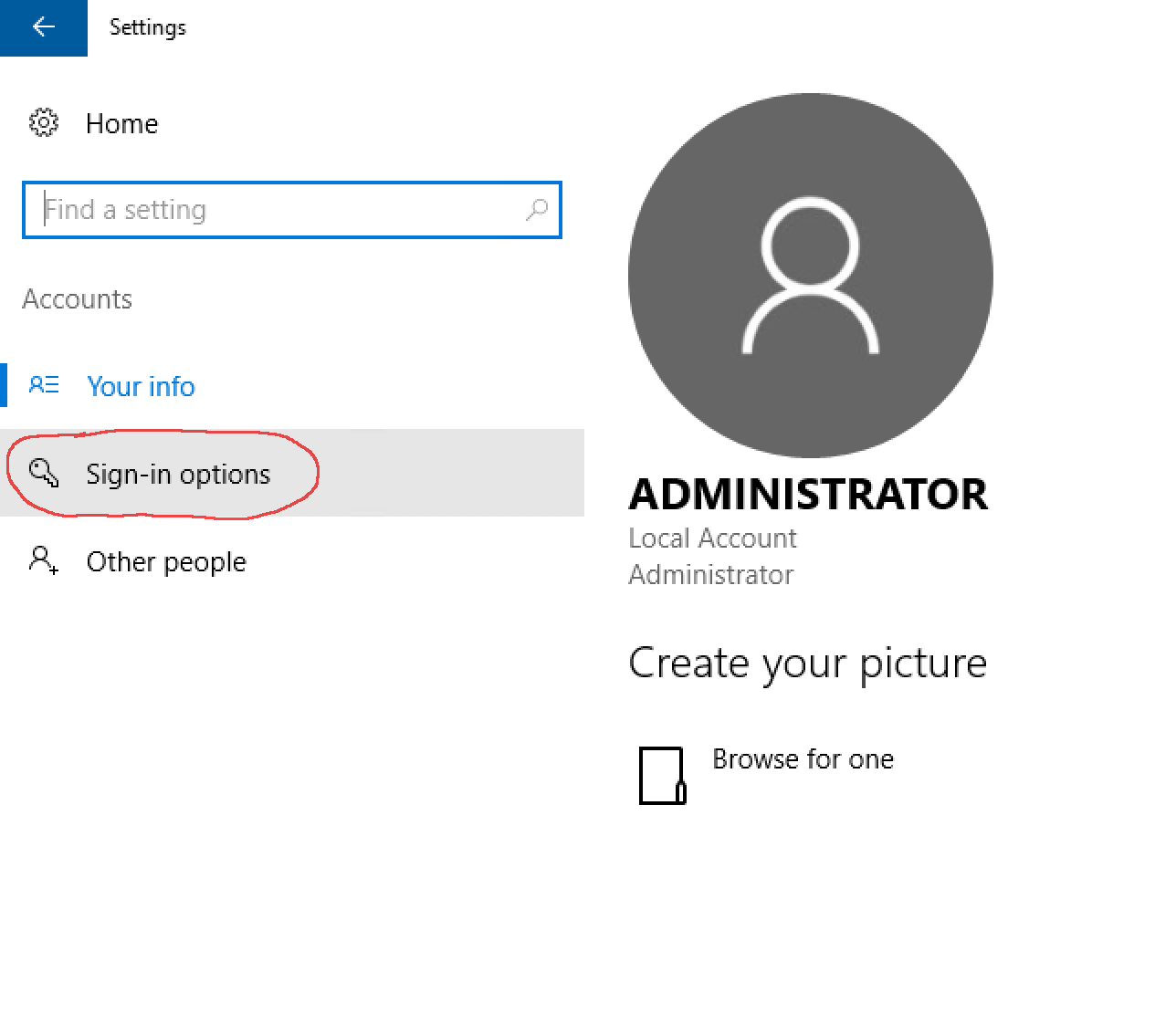
4. Then click the Change button under Password to change your Administrator password.


We like to think of each other as family, and we like to think of our clients in the same way. Your success on the web is our success on the web, and whether it be a simple blog site or a large corporation we want to be part of it by offering great proxies at incredible prices. Join us on our journey through the internet.