ActProxy
  • 0 Shopping Cart
  • Home
  • Pricing
  • News
  • FAQ
  • Uptime
  • Contact Us
  • More
  • Account
    • Login
    • Register
    • Forgot Password?
  1. Home
  2. Knowledgebase
  3. Windows VPS
  4. How do I change my password in my Windows VPS?

  Categories

How To
8
Pre-sales Q&A
38
Video Tutorials
6
Windows VPS
7

  Categories

  Tag Cloud

Anonymous Types API auth IPs authentication bandwidth bitcoin cancel change chrome cities classifieds connections craigslist credit cards dedicated proxy dynamic ip early refresh email europe exe facebook firefox footsites google http https hyper-v IE IP Address IPv4 IPv6 license locations Mac mail proxies Memory nike OS X password payment port pricing proxy Proxy Config RAM real ip refresh refund renew restrictions service ids shared proxy sign in social media social networks socks software install terms test proxies testing thread limit threads ticketmaster torrents twitter uk usa username web browser webrtc windows Windows OS xrumer youtube

  Support

My Support Tickets
Announcements
FAQ
Downloads
Network Status
Open Ticket

How do I change my password in my Windows VPS? Print

  • windows, Windows OS, sign in
  • 33

Changing the password on your Windows VPS is easy.

1. Please login and click on the Windows start button, then click the settings gear icon.
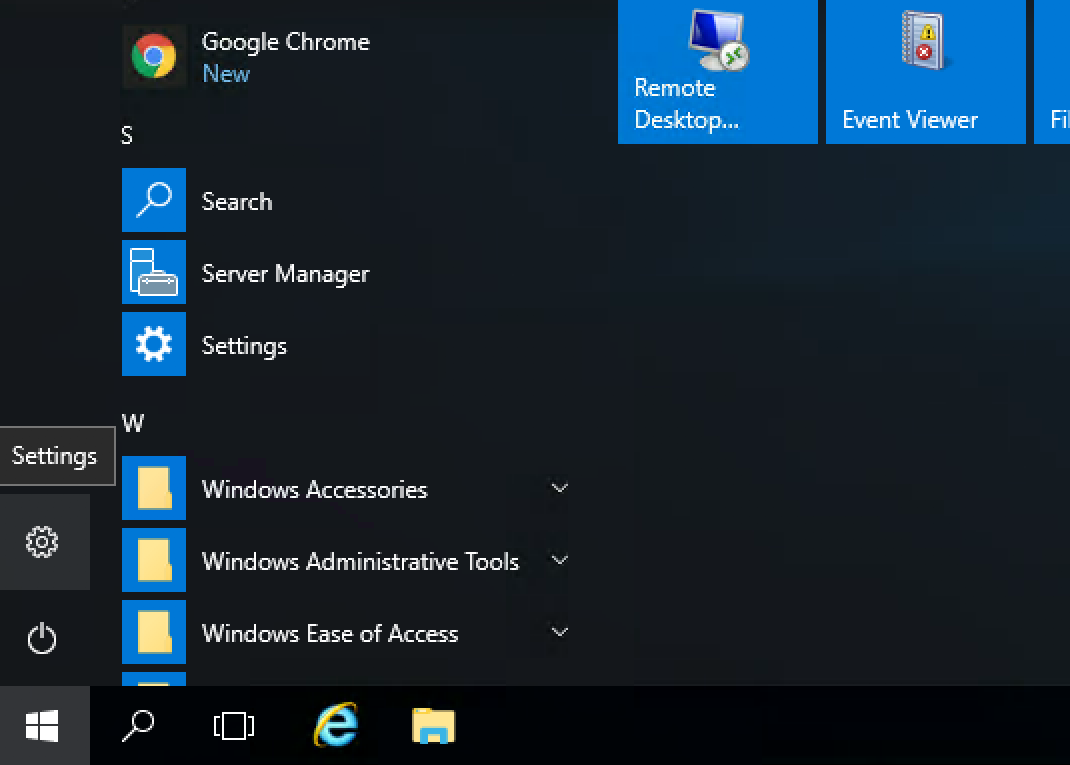
Settings Windows

2. Then click on Accounts.

3. Then click on Sign-in Options.
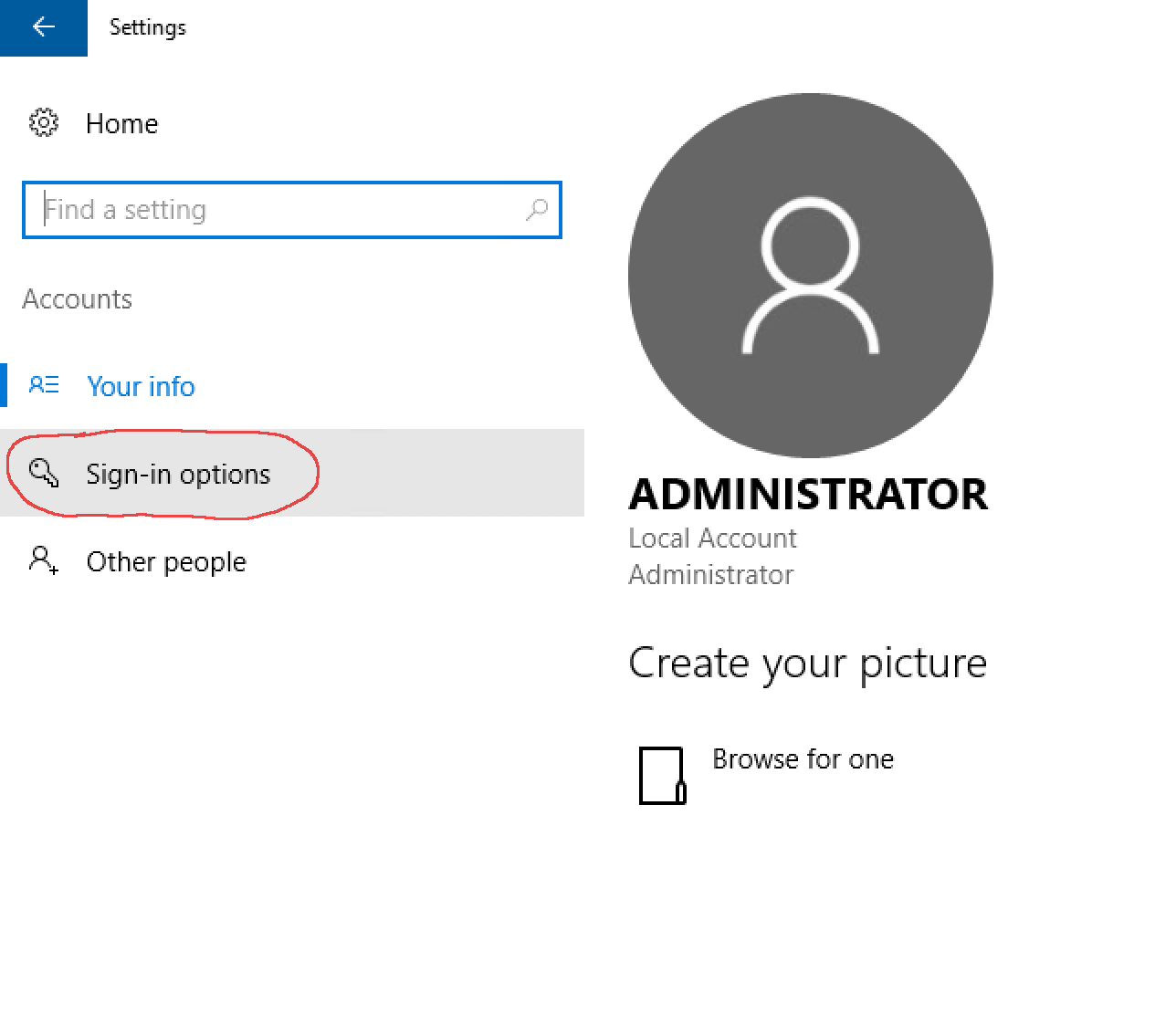
sign in options
4. Then click the Change button under Password to change your Administrator password.

Was this answer helpful?

Related Articles

What virtualization technology do you use? All of our Windows VPS are powered by Hyper-V. Does your Windows VPS include a Windows license? Yes, we provide a Windows licesne and Windows will be activated upon order. What happens if I reach my bandwidth limit? You will be notified and your service may be suspended. Why is my RAM lower than what I paid for? Your memory or RAM is not lower, it is only being allocated as needed by you. If you paid for a... My software program will not install, how do I install it? Please do the following to ensure that you can install your software on your Windows VPS:1....
« Back

  Tag Cloud

Anonymous Types API auth IPs authentication bandwidth bitcoin cancel change chrome cities classifieds connections craigslist credit cards dedicated proxy dynamic ip early refresh email europe exe facebook firefox footsites google http https hyper-v IE IP Address IPv4 IPv6 license locations Mac mail proxies Memory nike OS X password payment port pricing proxy Proxy Config RAM real ip refresh refund renew restrictions service ids shared proxy sign in social media social networks socks software install terms test proxies testing thread limit threads ticketmaster torrents twitter uk usa username web browser webrtc windows Windows OS xrumer youtube

  Support

My Support Tickets
Announcements
FAQ
Downloads
Network Status
Open Ticket
ActProxy

About

We like to think of each other as family, and we like to think of our clients in the same way. Your success on the web is our success on the web, and whether it be a simple blog site or a large corporation we want to be part of it buy offering great proxiews at incredible prices. Join us on our journey through the internet.

Links

  • Home
  • Pricing
  • News
  • FAQ
  • Uptime
  • Contact Us
  • More
  • Support
+1 (971) 319-0475
info@actproxy.com
10752 SE Highway 212
STE F364
Clackamas, OR 97015

Loading...
Loading...

Generate Password

Please enter a number between 8 and 64 for the password length